Product Updates – April 2024

 December 18, 2025
 4 min read
- 🚀 Enhanced Bulk Update Feature on Return Orders Page.
- 🚚 Enhanced Courier Rule Creation: Pickup Location-Based Attribute.
- 🔢 Enhanced Invoice Number Generation with Prefix and Suffix for Sellers.
- 📋 Enhanced Auto Scheduler Report: Customer Location Details.
- ⚖️Enhanced Weight Discrepancy Section: Streamlined Views and Improved Filters.
- ✅ Enhanced Reverse Shipping: Convert Non-QC to QC Orders.
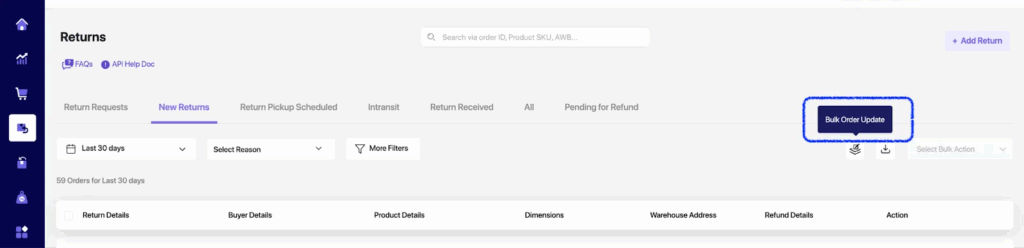
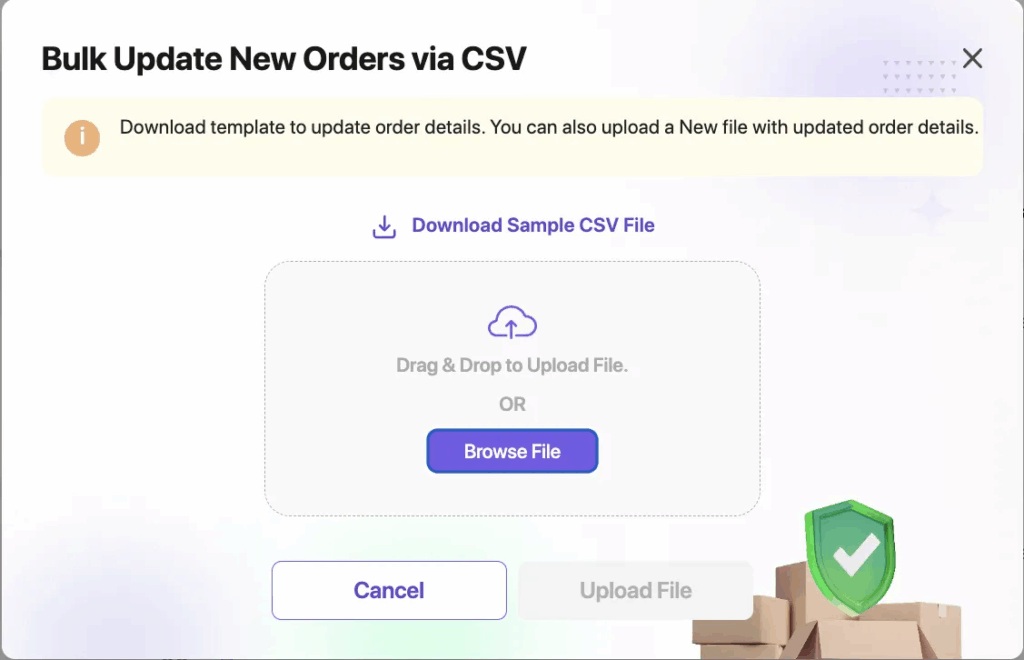
🚀 Enhanced Bulk Update Feature on Return Orders Page.
We’ve introduced a Bulk Update feature on the New Returns Tab of the Return Orders Page. This feature empowers sellers to efficiently update comprehensive order details, including Order ID, Channel, Pickup Address (Line 1, Line 2, Country, State, City, Postcode), Product details (Master SKU, Product Name, Dimensions – Length, Breadth, Height in cm, Weight in kg), and Quality Control (QC) attributes such as QC (Yes/No), EAN Barcode, Brand, Color, Size, Serial No, and Product Image.
🚚 Enhanced Courier Rule Creation: Pickup Location-Based Attribute.
- Sellers now have the ability to create courier rules based on pickup location names. When setting up a courier rule, users can select the condition and specify the pickup location ID.
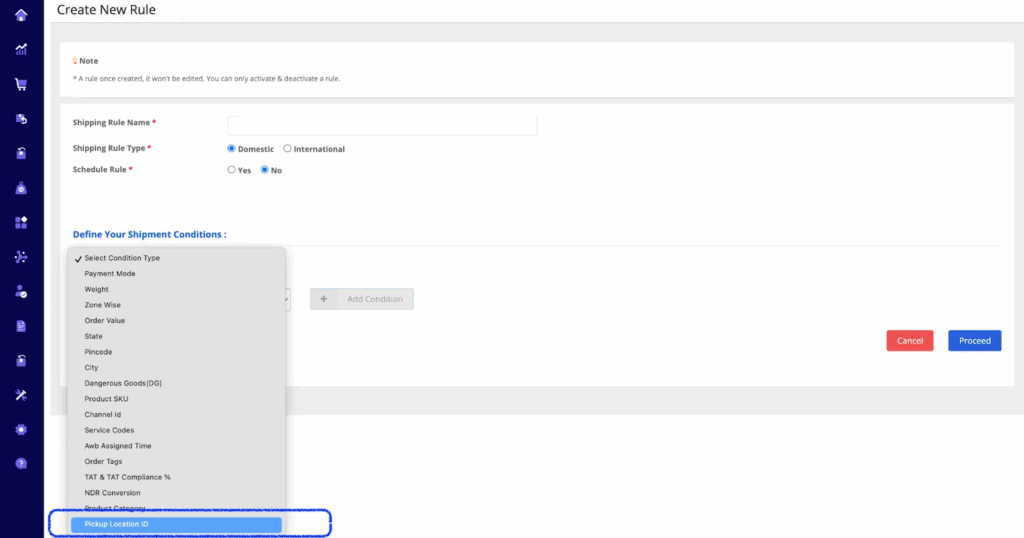
2. To utilize this feature, click on ‘Add Condition’ and choose the pickup location names from the provided list.
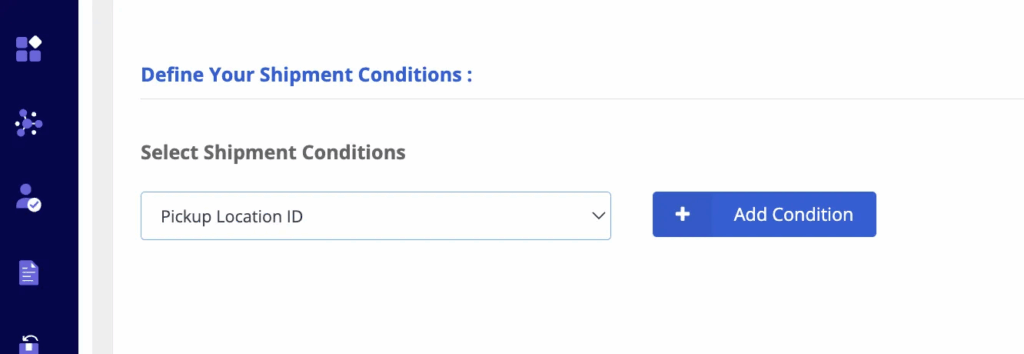
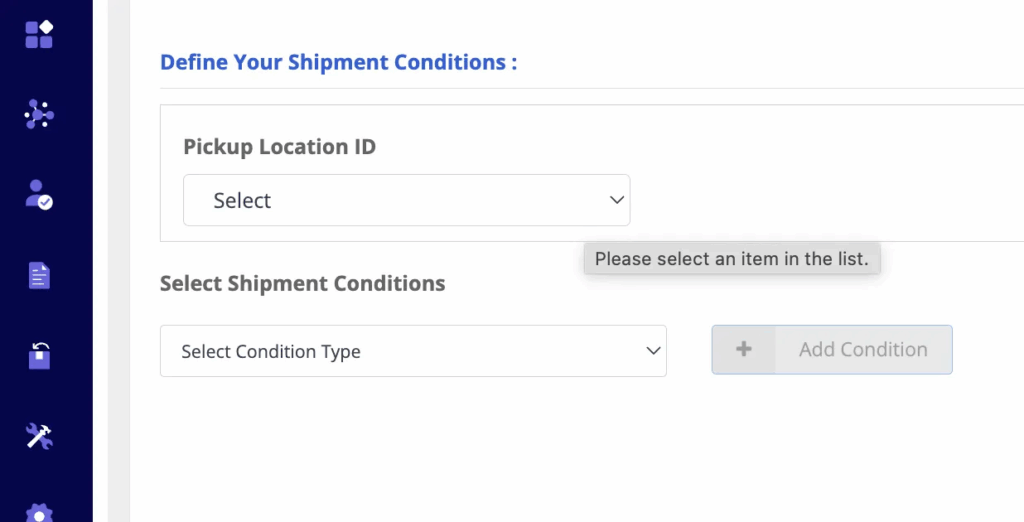
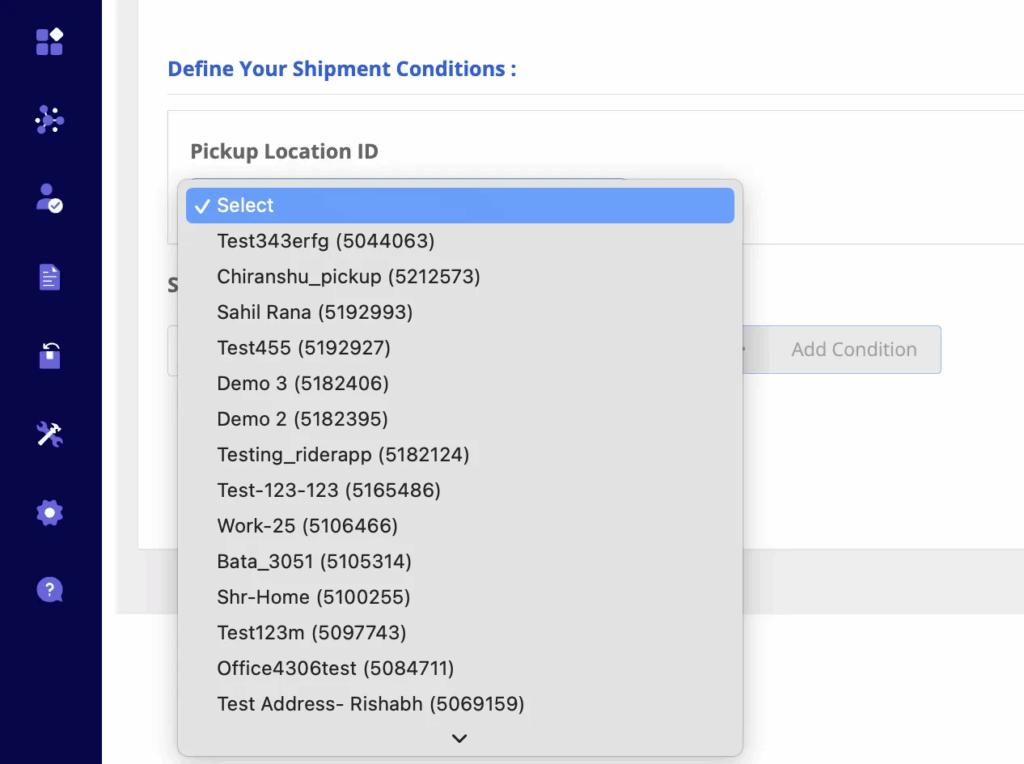
3. Sellers can link with other conditions in the same rule before submitting.
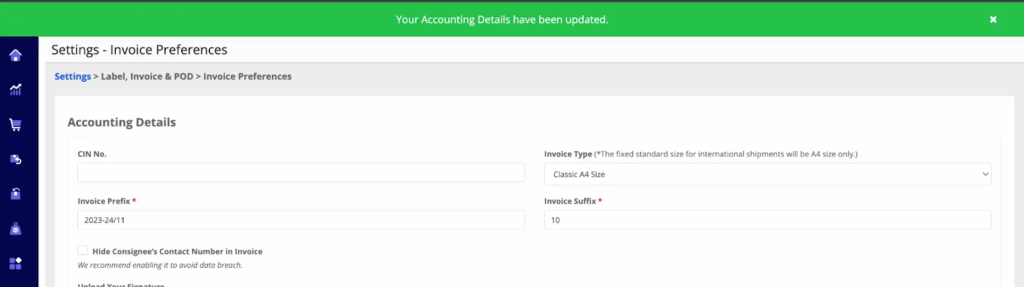
🔢 Enhanced Invoice Number Generation with Prefix and Suffix for Sellers.
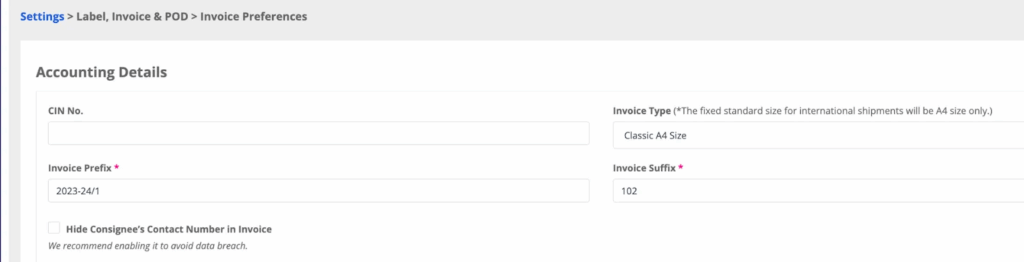
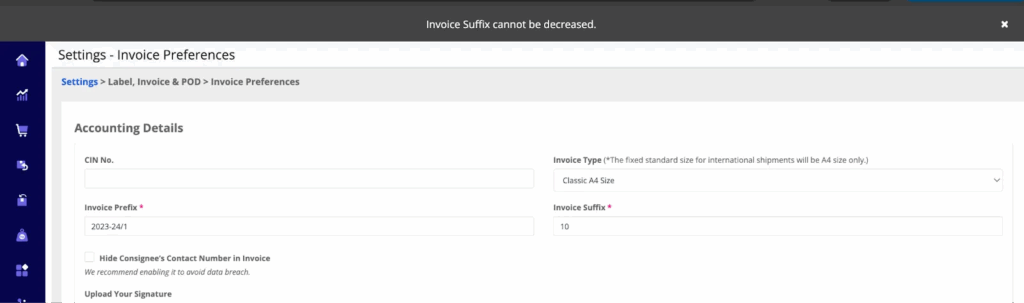
- Sellers now have the option to alter the suffix of the order-generated invoice number to a descending order, but only when there is a change in the prefix.
- To prevent redundancy, the system does not allow the generation of a descending number under the same prefix order.
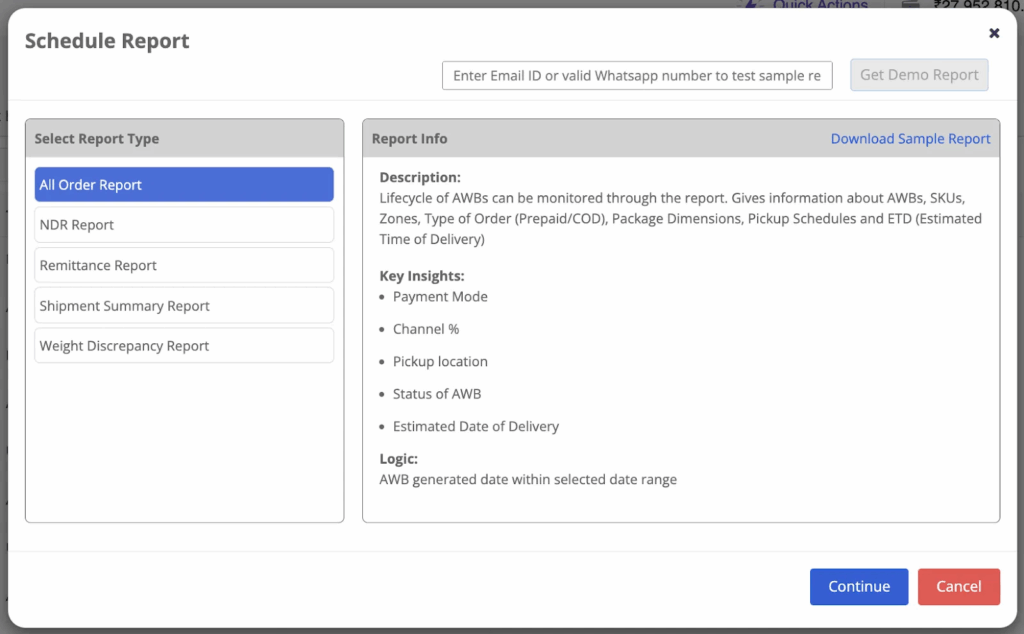
📋 Enhanced Auto Scheduler Report: Customer Location Details.
Under the Auto Report Scheduler > All Order Report, sellers will now receive the customer’s pincode, city, and state. This enhancement simplifies the identification of the customer’s location for respective AWB.
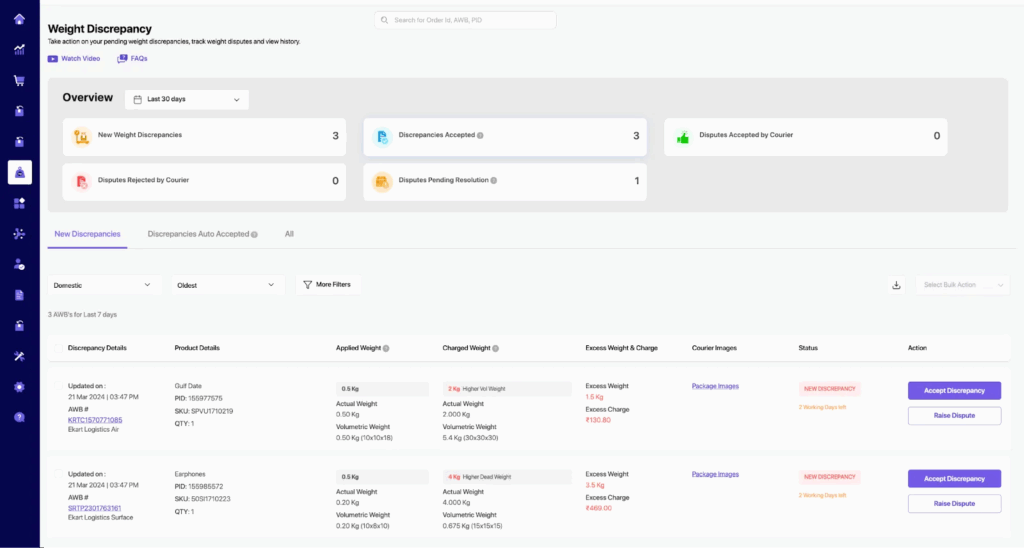
⚖️Enhanced Weight Discrepancy Section: Streamlined Views and Improved Filters.
Below is a brief overview of each of the revamped sections. Key Highlights of the new version
Streamlined View from the Overview section:
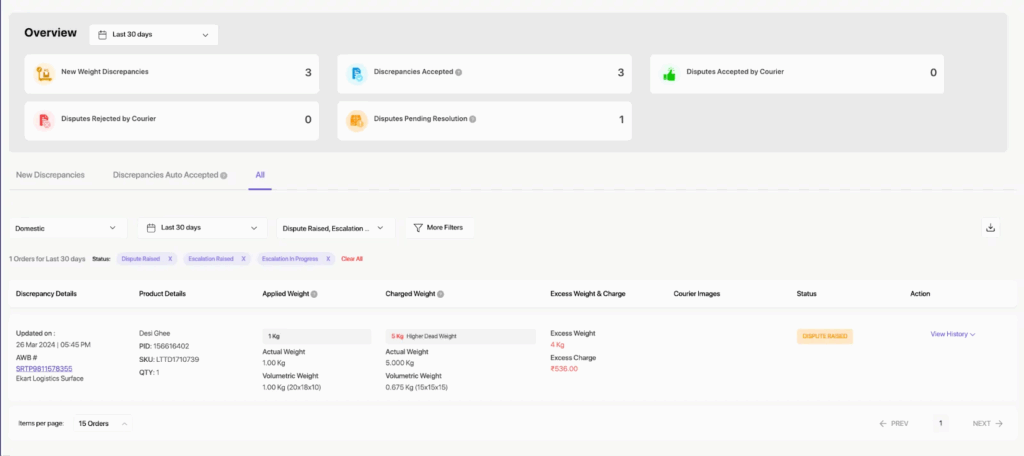
To directly access the numbers displayed in the overview section, click on any of the cards such as New Weight Discrepancies, Discrepancies Accepted, Dispute Pending Resolutions, etc. You will then be redirected to the filtered results below the overview section.
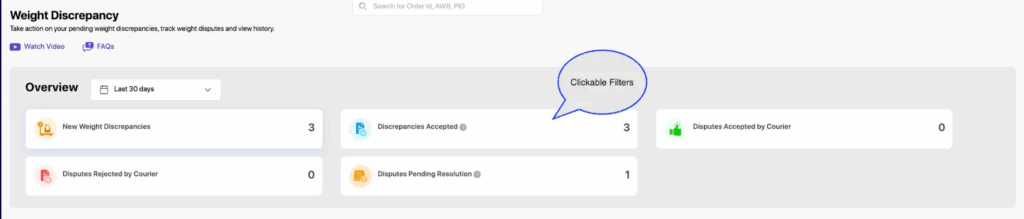
Example: Clicked on Dispute Pending Resolution
Regarding Filters & Search sections:
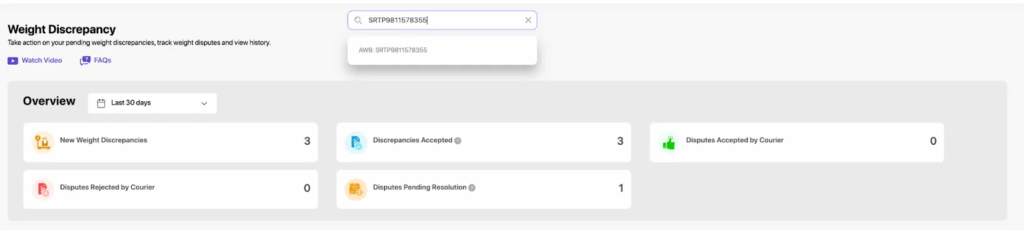
- You can now search for any shipments with raised discrepancies and check their status through Order ID, AWB, and Product ID (PID).
- For a single Order ID, AWB, and Product IDs (PID) search, utilize the option available at the top of the screen.
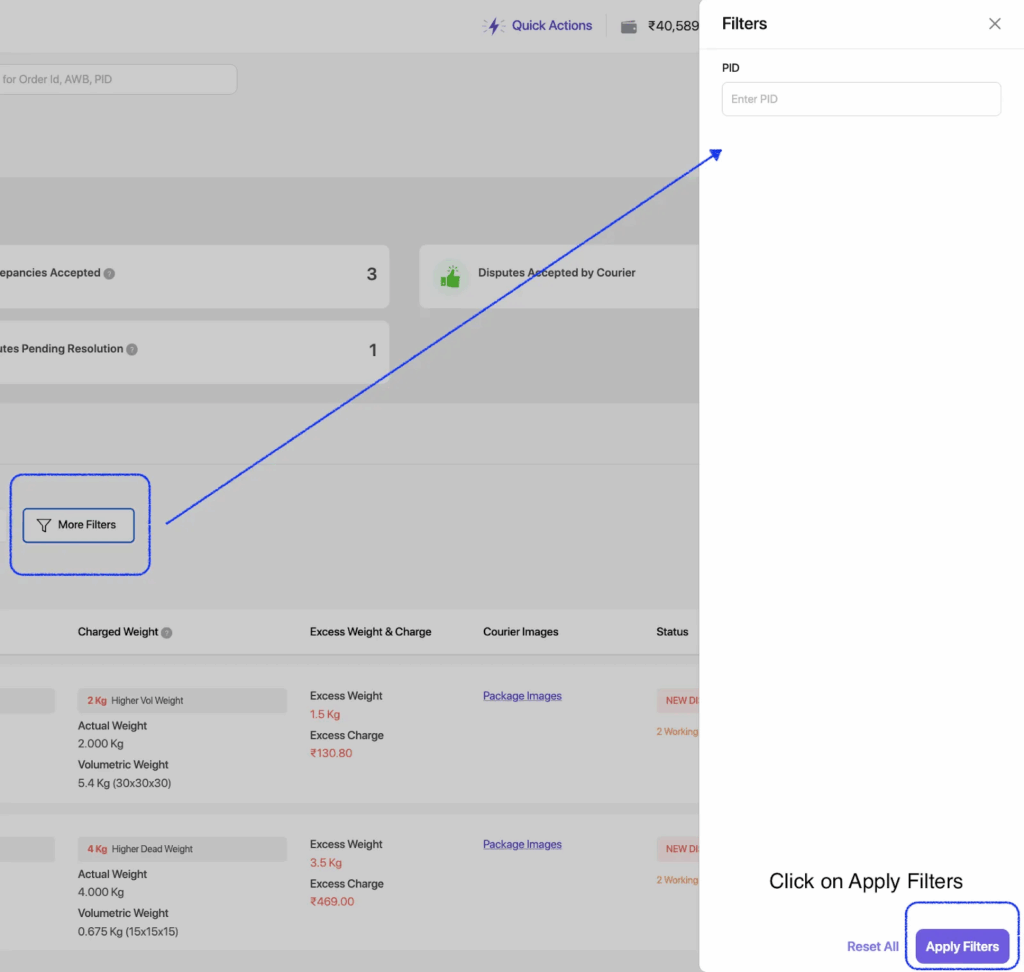
2. If you need to search for more than 1 Product ID, we have a ‘More Filters’ tab on the screen. Enter multiple PIDs separated by a comma and click on Apply Filters.
- We have distinguished screens that require immediate attention, such as New Discrepancies and Discrepancies Auto Accepted.
- New Discrepancies: AWBs with newly raised discrepancies.
- Discrepancies Auto Accepted: AWBs auto-accepted due to no action taken from your end within 7 working days.
Additionally, we have an ‘All’ section that includes all AWBs with statuses ranging from Discrepancies raised to Dispute and/or Escalation resolved.
✅ Enhanced Reverse Shipping: Convert Non-QC to QC Orders.
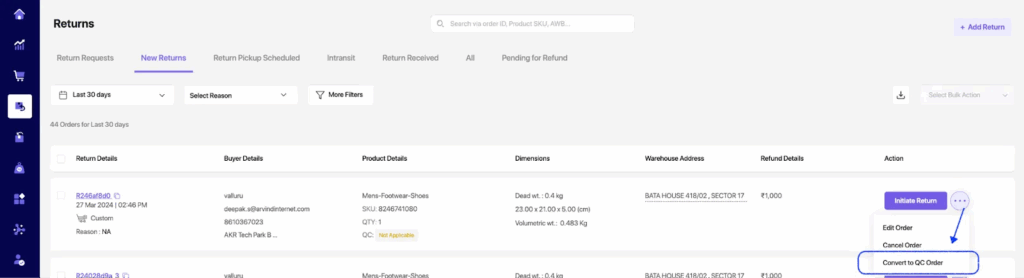
- Sellers can now convert their Non-QC orders to QC orders even after the order is created but before it is scheduled for pickup.
- Clicking on the Ellipsis will reveal the option to convert to QC orders, opening a side drawer to verify the product details for the order.
3. Sellers have the choice to apply QC orders for all future orders. Selecting ‘Yes’ enables QC in Return settings, indicating that subsequent orders with the same product will have QC status as Applicable/Enabled.
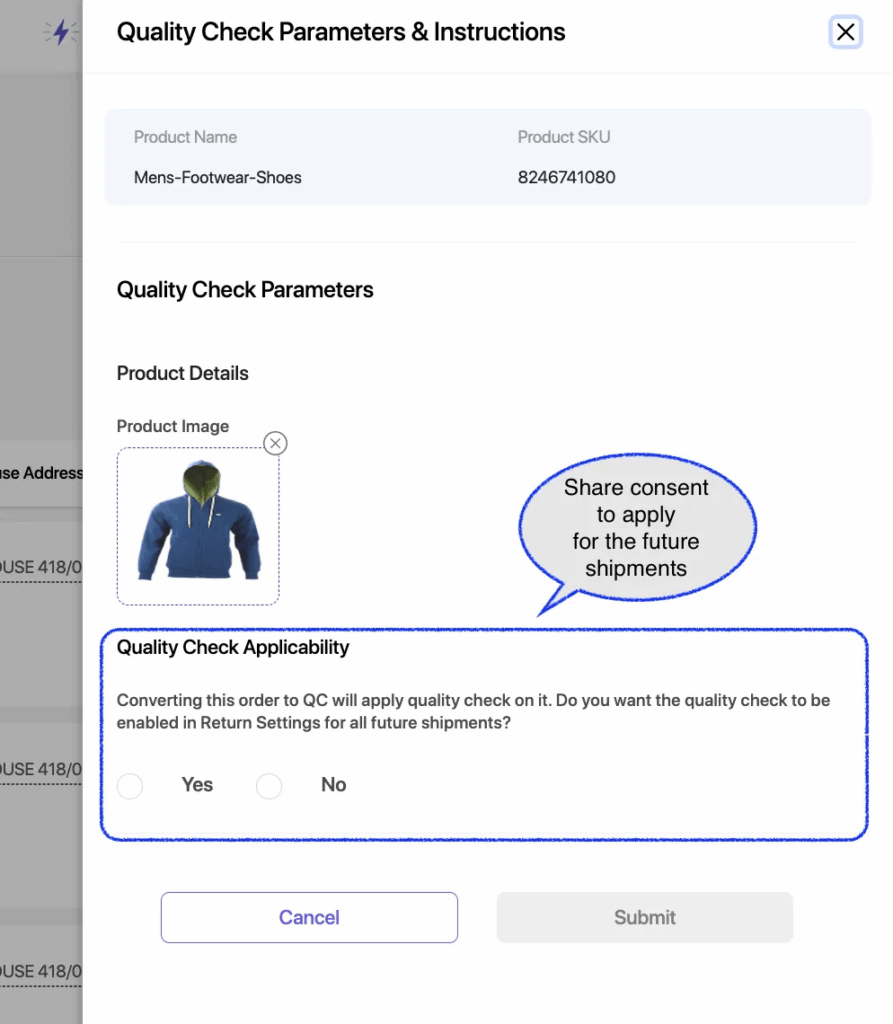
- Choosing ‘No’ keeps the QC disabled in Return settings. If product details are not saved in the settings, sellers will need to manually input them to add the order as QC.
- Once the changes are saved, the order will be labeled as ‘QC Applicable.’ During return initiation, sellers will have the option to ship it with QC serviceable couriers.