Product Updates – August 2025

 December 10, 2025
 4 min read
Introducing Self-Serve Label Functionality
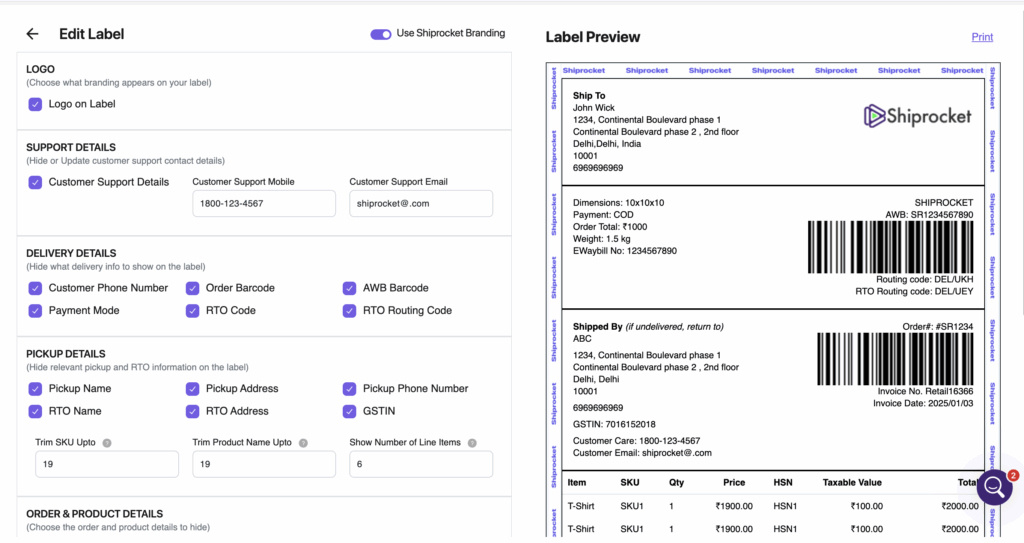
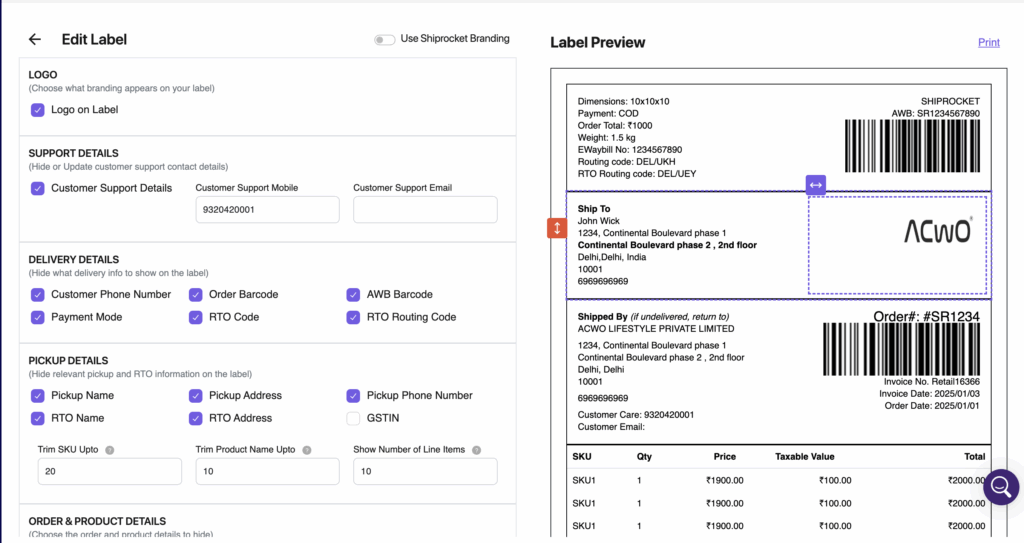
Take full control of your shipping labels with our new Self-Serve Label feature. Now, sellers can customize every detail of their labels for a more professional, brand-aligned experience.
What can you manage?
✅ 1. Shiprocket Branding & Logo
- Show or hide Shiprocket branding on label borders
- Control visibility of brand/channel logos
✅ 2. Support Details
- Show or hide customer support details
- Edit the support phone number and email address
✅ 3. Delivery Details
- Toggle visibility for:
- Customer phone & address
- AWB barcode, order barcode
- Payment mode, routing codes, weight & dimensions
✅ 4. Pickup Details
- Show or hide:
- Pickup name, address, phone number
- RTO name & address, GSTIN
- Control SKU & product name trimming
- Choose between multi-page item display or limited items per label
✅ 5. Order & Product Details
- Manage visibility of:
- Item name, SKU, quantity, price
- Taxable amount, total amount, discount
- HSN, platform fees, shipping charges, and collectable amount
✅ 6. Miscellaneous Options
- Show or hide:
- Invoice number & date
- eWaybill number, order date, order total
- Add or edit content in the Notes section
✅ 7. Formatting Controls
- Adjust font size
- Apply Bold, Italic, or Underline styles
- Rearrange blocks vertically/horizontally (where supported)
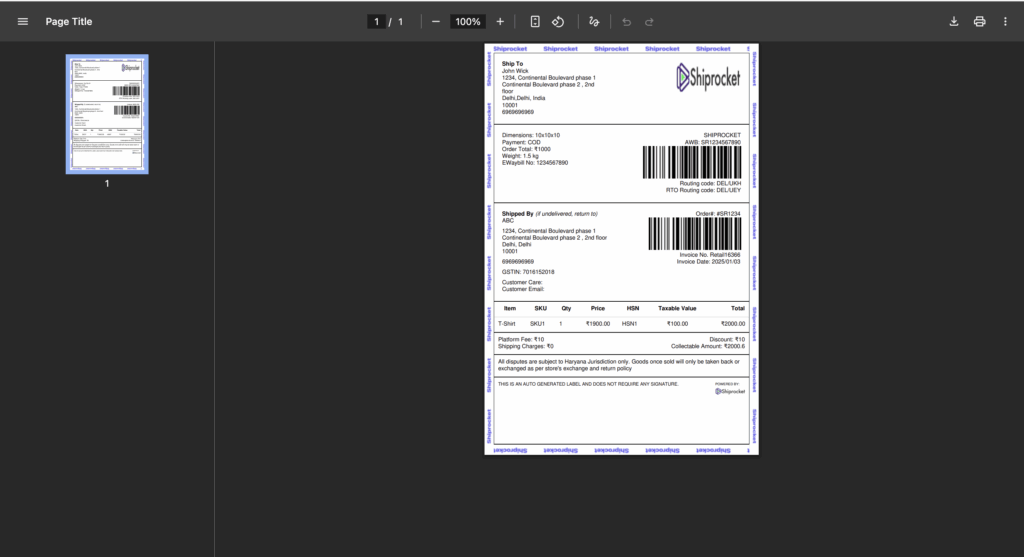
✅ 8. Real-Time Preview & Print
- Instant preview of all changes
- Print updated labels to verify before saving
✅ 7. Formatting Controls
- Adjust font size
- Apply Bold, Italic, or Underline styles
- Rearrange blocks vertically/horizontally (where supported)
✅ 8. Real-Time Preview & Print
- Instant preview of all changes
- Print updated labels to verify before saving
Scale Your Business with Exclusive Discounts
Introducing the Shiprocket Business Plan – Boost your shipping efficiency, unlock exclusive discounts, all with the new Business Plan.
Plan Benefits:
- Up to 10% discount on shipping rates
- Affordable pricing: ₹199/month
- Special offer: ₹99/month for GST-verified sellers
- Seamless subscription: Activate via monthly UPI mandate for hassle-free recurring payments
✅ Who Can Access It?
- Available exclusively for Lite Plan sellers who have completed First Time Shipment (FTS)
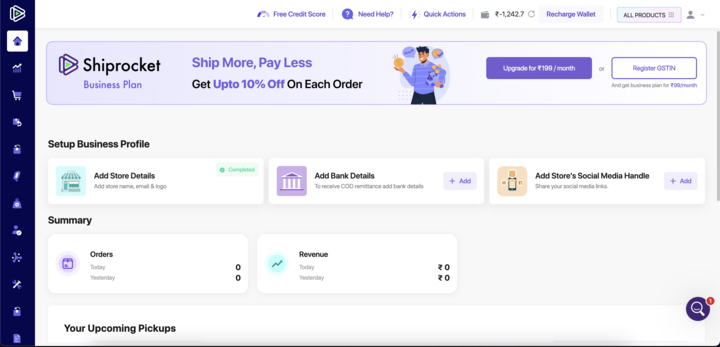
📍 Where Will You See It?
- Homepage Upgrade Option: Upgrade to Business Plan directly from your dashboard homepage
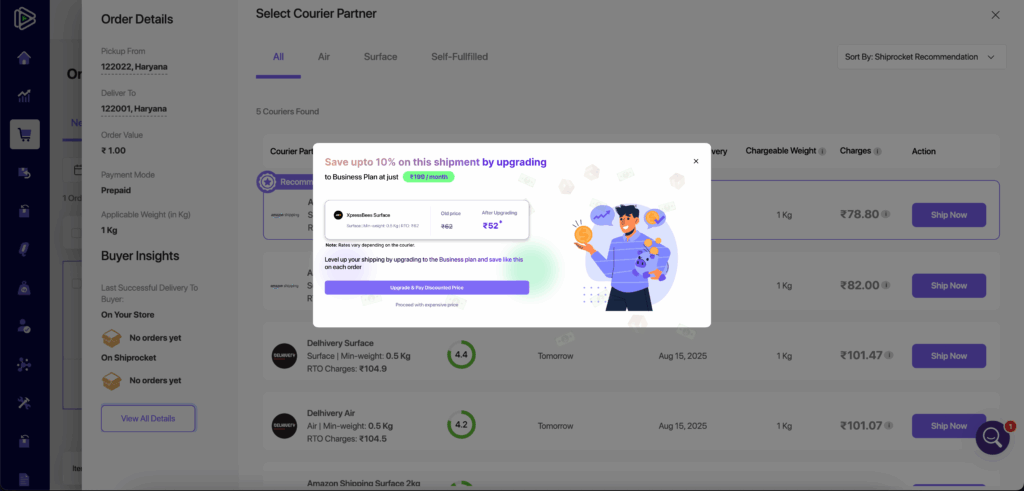
- Ship Now Screen: While assigning couriers, see discounted rates in a pop-up and upgrade instantly for savings
Shiprocket International – Delivery Duty Paid Enablement
ShiprocketX now supports Delivery Duty Paid (DDP) for international shipments to major countries. This allows sellers to prepay all customs duties and taxes upfront, ensuring a smooth, transparent, and hassle-free delivery experience for buyers.
Key Highlights
- Country Launch: Available for Canada shipments above the 20 CAD de minimis threshold.
- Real-Time Duty & Tax Calculation: Automated using HSN codes and Canadian customs rules.
- Upfront Wallet Deduction: Duties & taxes auto-deducted from the seller’s wallet during order creation.
- Delta Adjustments: Any difference in final duty/tax automatically debited or credited to the seller’s wallet.
- Better Buyer Experience: No surprise charges at delivery, leading to higher trust and faster clearance.
- Bulk Upload & API Support: DDP selectable in bulk templates and supported in external API integrations.
- Seller Notifications:
- Individual shipment emails with duty & tax breakdown
- Bulk shipment summaries
- Delta change notifications (debit/refund) for transparency
- VCN: SRX DDP
How the Process Works
1. Order Creation Flow
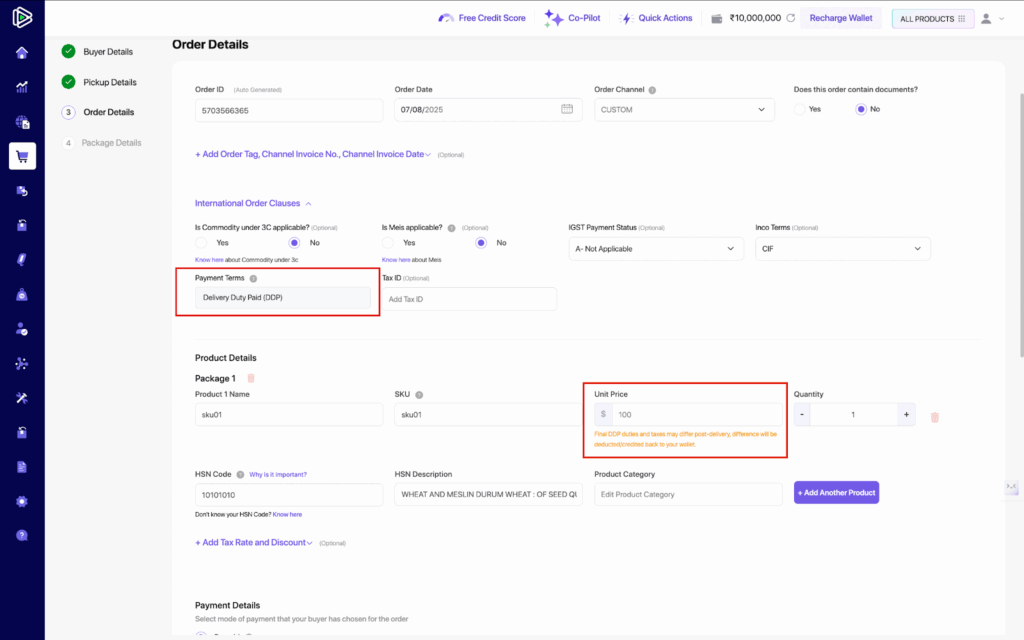
- The DDP terms are selected by default in the Payment Terms during order creation.
- For bulk uploads, DDP is auto-set in the new Payment Terms column.
- In API integrations, DDP is the new default option.

2. Duty & Tax Calculation
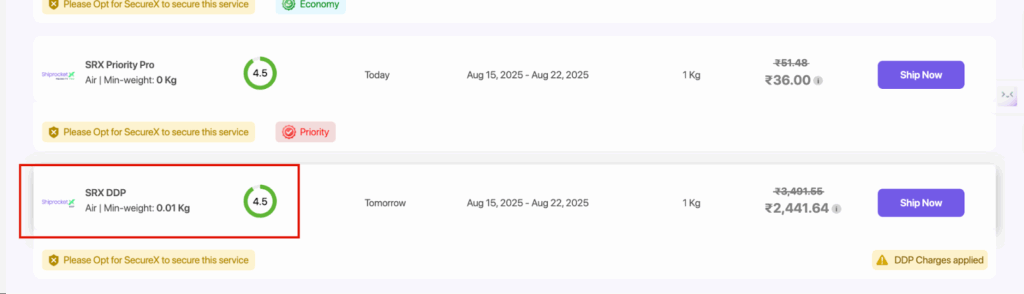
- On clicking Ship Now, the system fetches charges in Real-time
- Seller sees a breakdown of Customs Duty & Taxes in the Order Summary screen.
3. Wallet Deduction
- Amount auto-deducted from seller’s ShiprocketX wallet at confirmation.
- System records deductions under “Custom Duty Charges”
4. Billing Adjustments
- If actual charges differ, the system auto-applies Delta Adjustments:
- Higher → Debit
- Lower → Refund
- Reflected in wallet passbook + credit/debit notes.
5. Seller Notifications
- Individual Shipment Emails: Duty & tax breakdown, shipment details, wallet deduction.
- Bulk Shipment Summaries: Consolidated daily email with attached charge sheet.
- Delta Change Emails: Seller notified of debits/refunds for transparency.
Where It’s Shown
- Seller Panel > Order Creation: Terms of Trade dropdown (DDP available for orders > CAD 20).
- Seller Panel > Order Creation: Final order creation step, Terms and Conditions 1st time.
- Wallet Passbook: Debit/refund entries with charge details.