
🚀 Shiprocket Exchange is Now LIVE!
We’re excited to introduce Shiprocket Exchange — a powerful extension to our Reverse Shipping solution, designed to protect your order value, minimize manual effort, and streamline the exchange process effortlessly. 🔄
✨ What is Shiprocket Exchange?
Shiprocket Exchange helps sellers retain order value by offering product exchanges instead of refunds, while also automating the traditionally manual process of handling requests and courier assignments.
🛠️ How Can Exchanges Be Created?
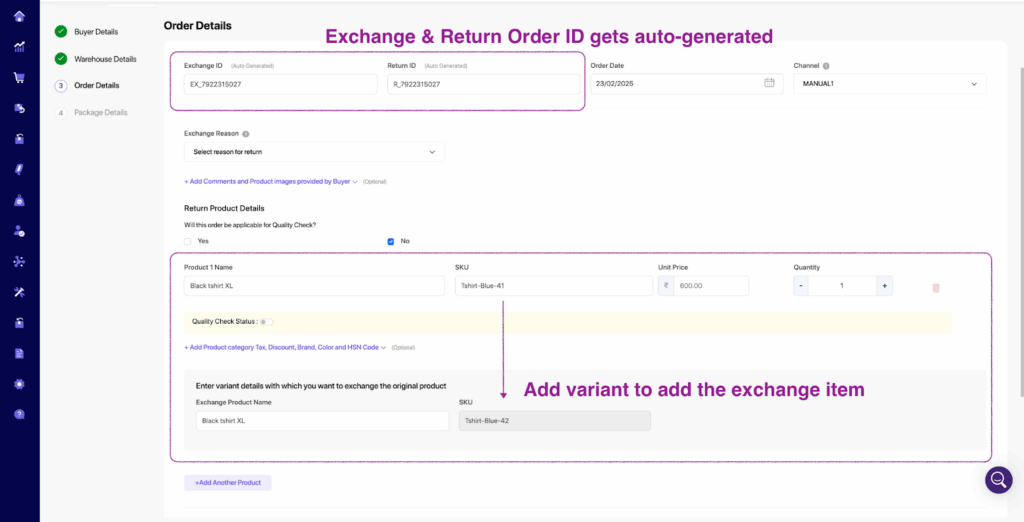
- Manual Creation: Initiate an exchange request directly from your seller panel.
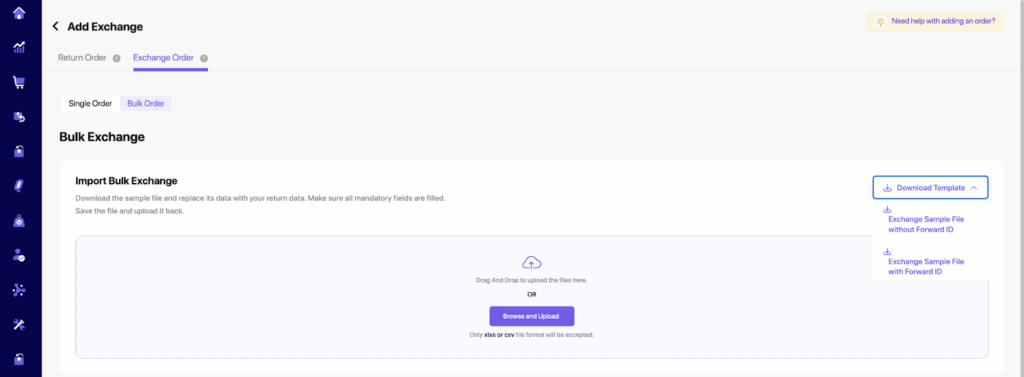
- Bulk Upload: Manage multiple exchange requests at once using bulk file uploads.
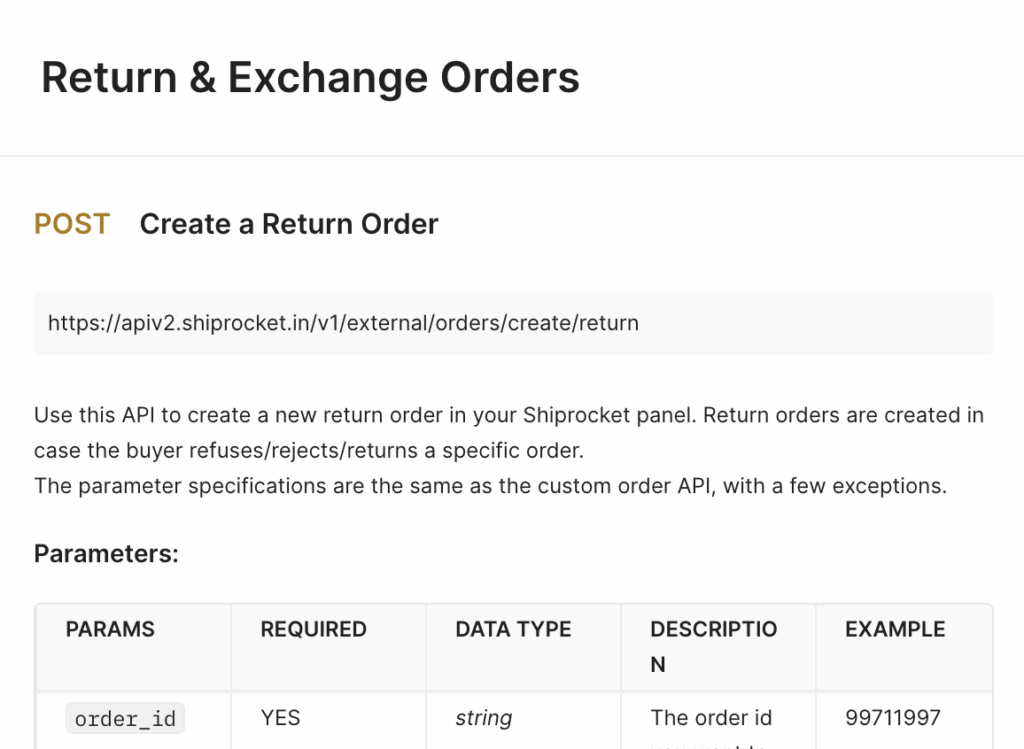
- External API: Seamlessly integrate your systems and automate exchange creation via APIs.
- Via Delivered Tab: Quickly create an exchange for any delivered order through the Delivered tab in the Seller Panel.
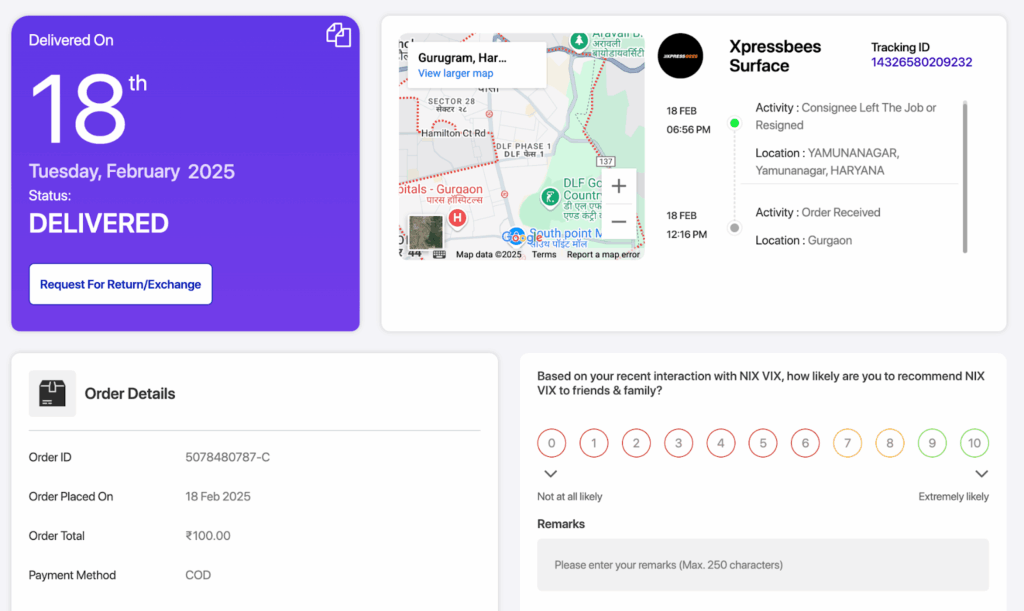
- Direct Buyer Request: Empower buyers to raise exchange requests directly from the Tracking Page, reducing your operational overhead.
💡 Why Use Shiprocket Exchange?
- 🚚 Reduce returns and protect sales revenue.
- 🤖 Automate exchange workflows and save manual effort.
- 📈 Enhance buyer satisfaction with smooth exchange experiences.
- ⏱️ Save time with simplified request handling and faster fulfillment.
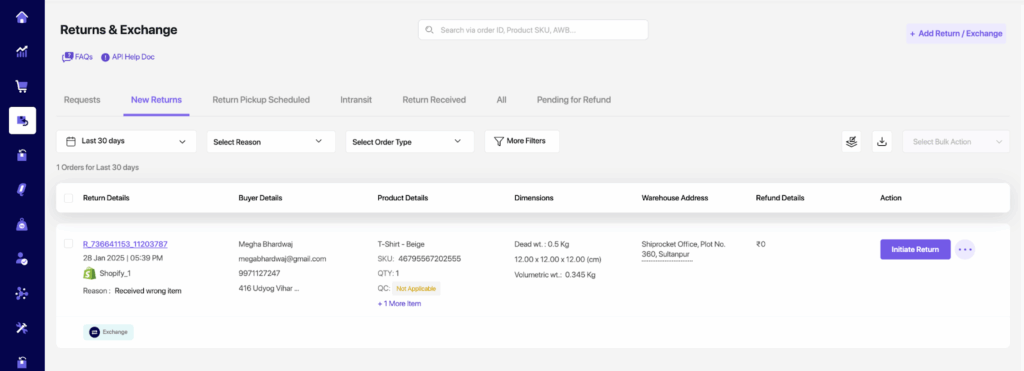
Add Exchange Manual Order
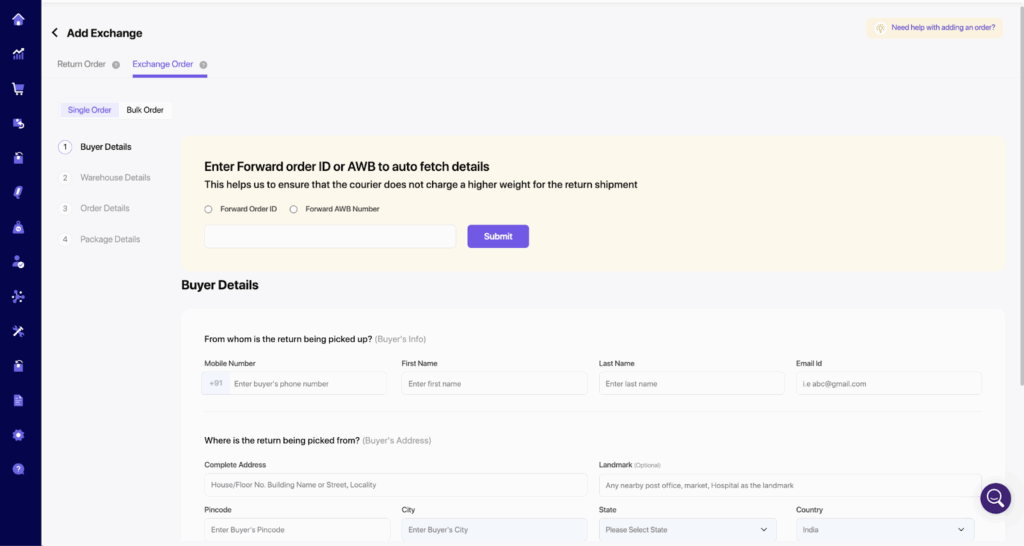
Add Exchange Bulk Orders
Add Exchange Order via External API

Buyer-Initiated Exchanges via Tracking Page
⚖️ Smart Fallback Assignment Mechanism
Never let an order go unassigned!
Our Smart Fallback Assignment system ensures that even if the primary courier assignment fails, your orders keep moving without delay. 🚀
✅ Auto-Reassignment: The system intelligently reassigns the shipment to the next best courier based on your predefined seller rules, ensuring seamless logistics management.
✅ No Manual Intervention Needed: Stay worry-free as the fallback mechanism kicks in automatically to minimize disruptions and maintain high fulfillment rates.
✅ Boosts Delivery Success: By ensuring every order finds a courier partner without manual effort, you improve overall delivery speed and customer satisfaction.
🚚 Delivery Boost – Buyer Communication Visibility
Introducing a powerful new tool to improve delivery outcomes through better visibility into buyer communication.
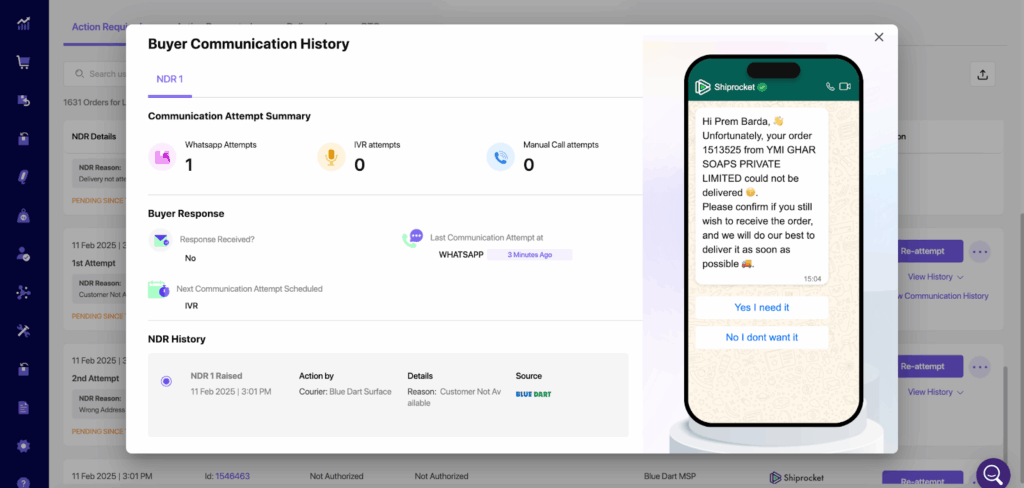
Now sellers can access a dedicated pop-up interface that displays all communication exchanged between the buyer and the seller—across messages and IVR.
🔍 Key Highlights:
- 📬 Full Communication Log: Instantly view all messages and IVR attempts sent to the buyer.
- 📊 Insightful Analytics: Get a visual breakdown of buyer responses, including delivery confirmations, queries, or no response.
- 🧠 Data-Backed Decisions: Identify communication gaps and optimize outreach strategies to reduce delivery failures and RTOs.
Custom WhatsApp Flow in Engage360 🚀
Engage360 now empowers you to create custom WhatsApp flows for enhanced customer engagement — offering instant, automated responses, guiding users through purchase journeys, assisting in cart recovery, and providing seamless 24/7 customer support to drive higher conversions.
1. Custom Chat Flow Creation
Steps to Create a Custom Flow:
- Go to the Custom Flows section from the side panel.
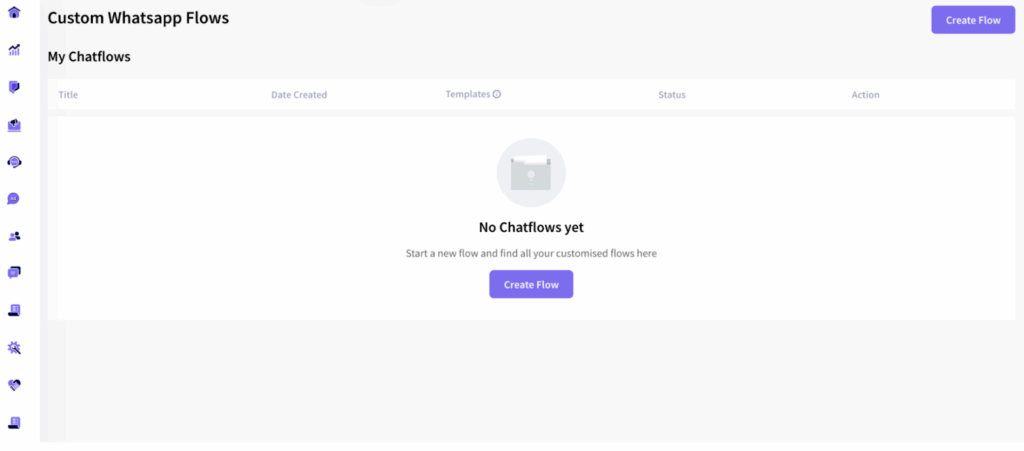
2. Click Create Flow.
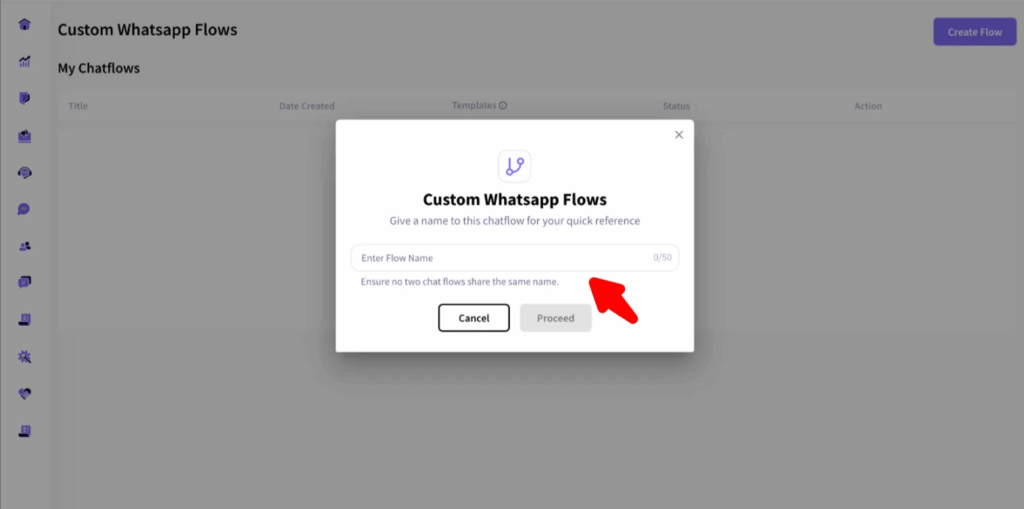
3. Enter a unique Flow Name.
4. Under Customize Template, write the buyer query to which you would like to create a WhatsApp flow. You can also add upto 10 variables such as buyer name, order ID.
5. Add Auto response by Seller which can also include up to 10 variables, an image, video, or document to better address the query, and emojis to make the response engaging.
6. Optionally, you can also use a Footer and Button.
7. In the button you can add an URL, such as your website URL.
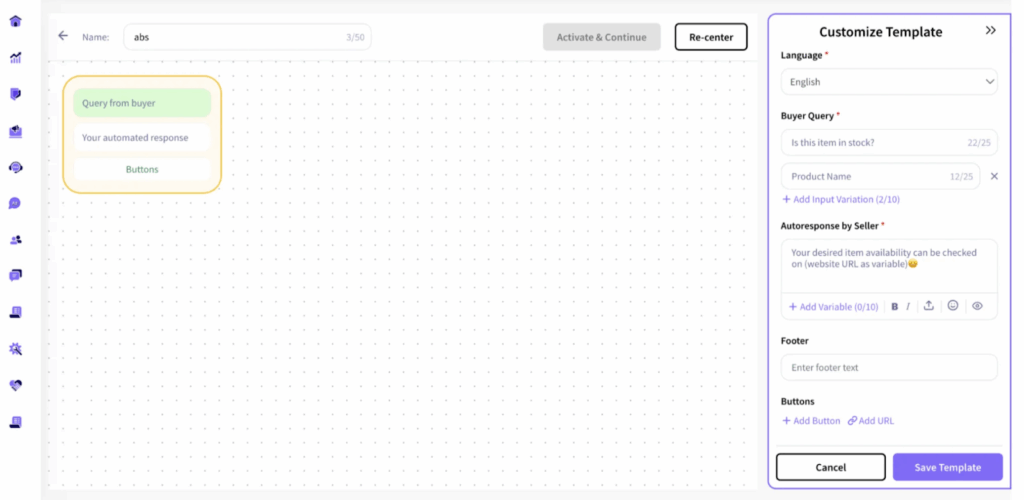
8. Click on Save Template to create your custom template.
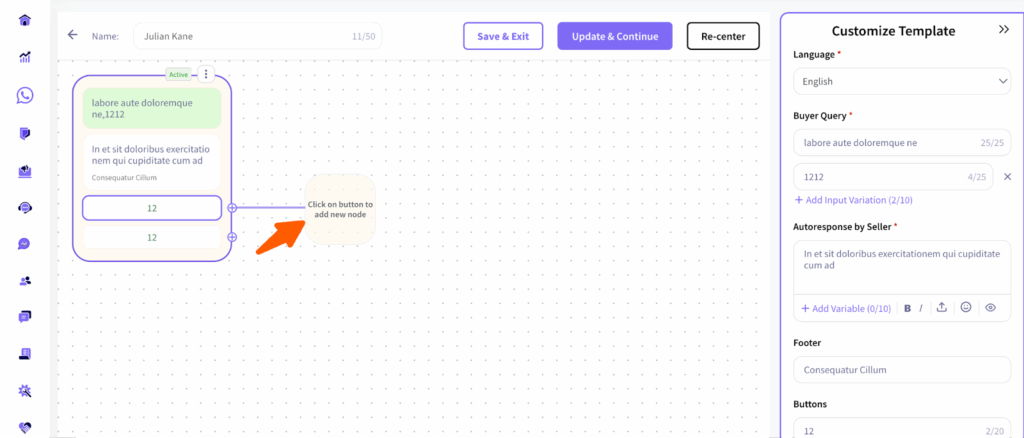
9. You can add additional flows to the existing one by hovering over the buttons, as shown below:
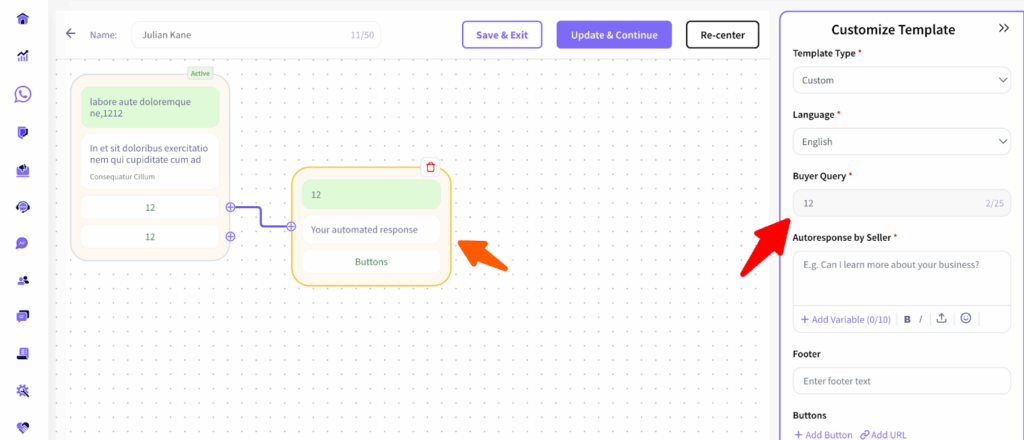
10. You can now edit the new modes by simply customizing the template, just as you did earlier.
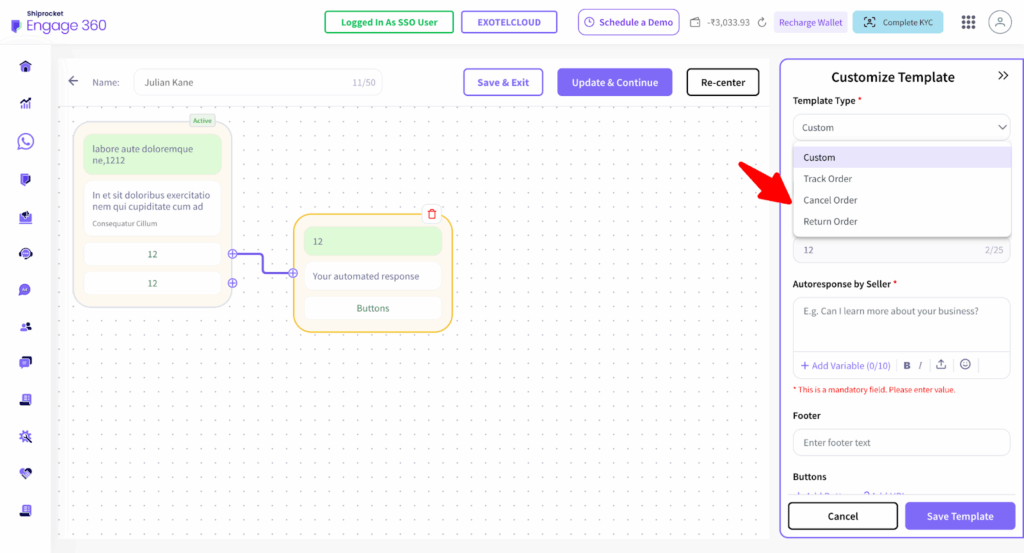
- By clicking on the Template Type dropdown, you can select the type of template you want to create:
- Track Order
- Cancel Order
- Return Order
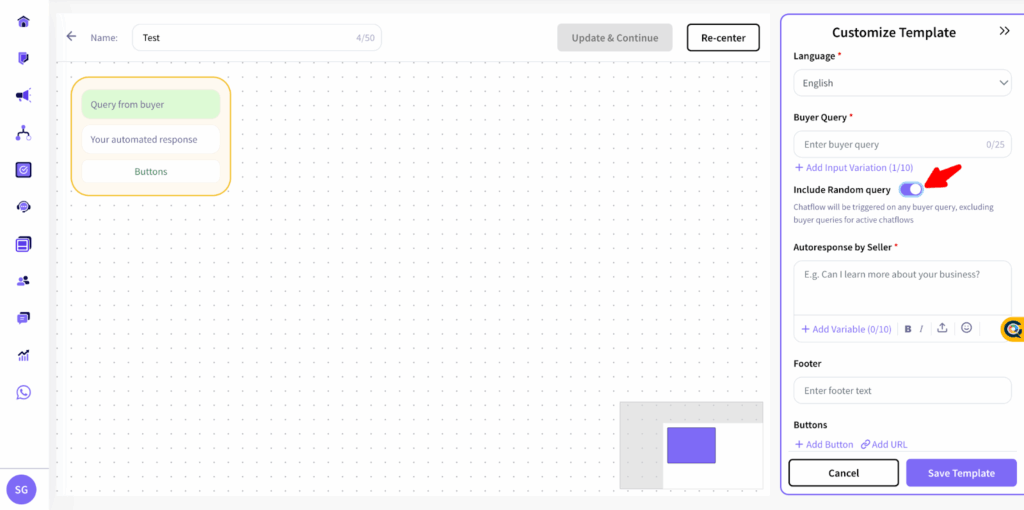
12. You can also enable the Include Random Query toggle to trigger the flow when a buyer enters a query that is not explicitly defined in your preset list.
13. After making all the changes, click Save Template.
14. You can modify the flow anytime and click Update and Continue to save your updates.
Shiprocket X – Cross Border Shipping ✈️
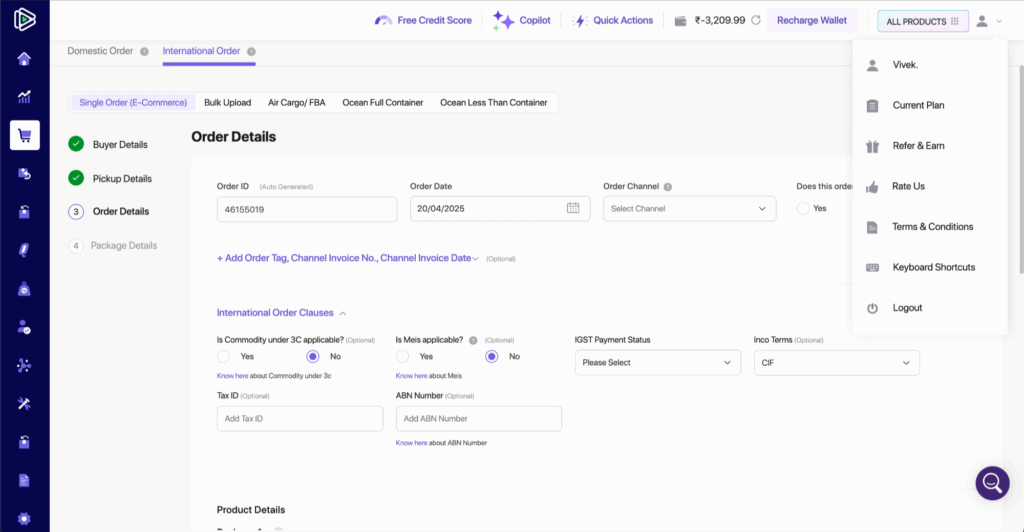
New Fields for International Orders 🌎
- ABN and CH Numbers: Sellers can now add the ABN number for Australia orders and the CH number for Switzerland orders directly in the order details, helping ensure smoother customs clearance and compliance.
MAWB Report Enhancements ✈️
- PBE Number and EGM Documents: Sellers can now download the PBE and EGM documents directly from the MAWB report section within the seller panel, simplifying the documentation process.
Pricing and Surcharge Enhancements
- Non-Serviceable Check Removed: The non-serviceable area check has been removed for Parcel Cirro allowing smoother processing.
- VCN-Based Surcharges: Surcharges are now dynamically applied based on shipment rank and the VCN flag status, ensuring a more precise and transparent pricing structure.
- Updated Surcharge Rules: New surcharge rules have been introduced for oversize and overweight shipments, including non-compliance fees to maintain service standards.
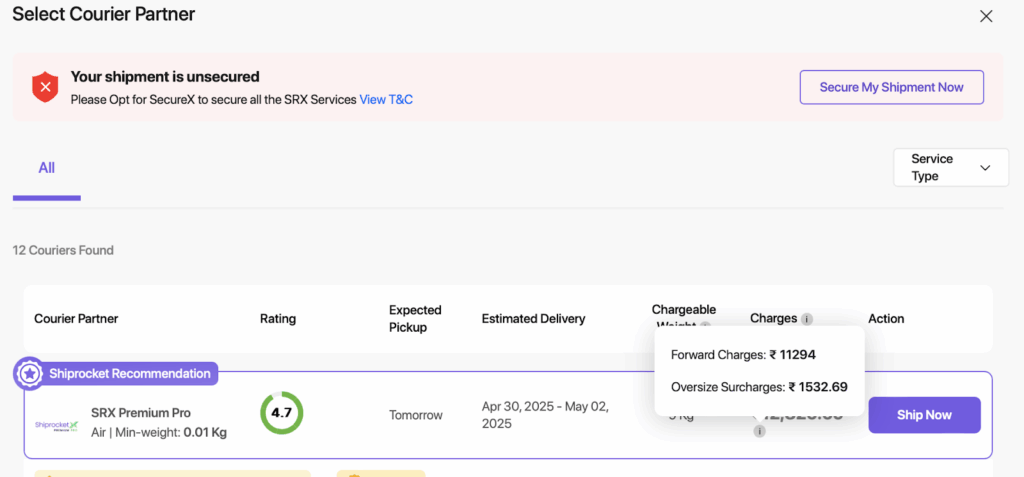
- Enhanced “Ship Now” Screen & Billing Reports: The “Ship Now” screen and billing reports have been upgraded to display a detailed breakdown of all applicable surcharges for better visibility and control.