

Introducing RevProtect by Shiprocket!
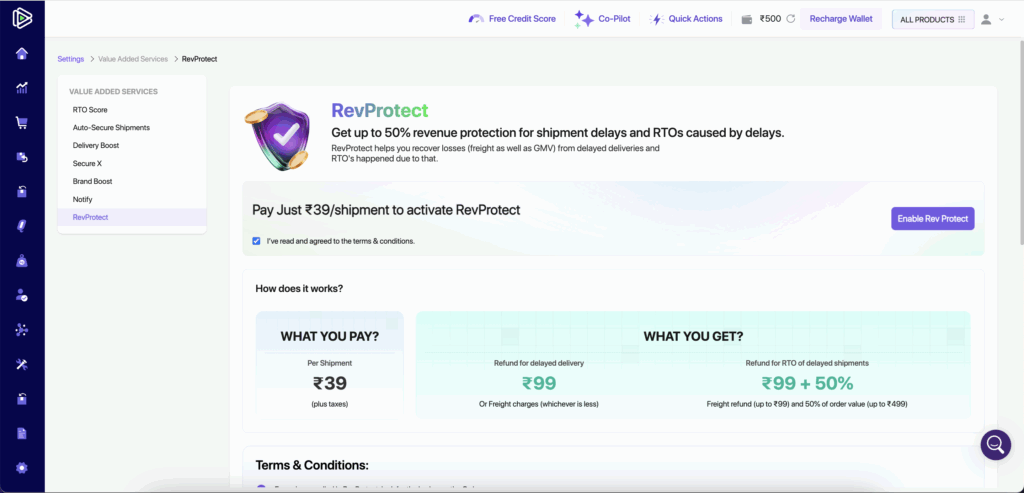
Shield your business from losses with RevProtect, our latest offering designed to maximize your revenue and minimize risks!
✨ Key Highlights:
🔸 Up to 50% GMV on Delayed RTO: Get compensated for delayed Return to Origin (RTO) shipments, ensuring your hard-earned revenue stays protected.
🔸 Freight Refunds up to ₹99: Claim refunds on freight charges if your shipment faces delays.
🔸 Affordable Protection: All of this at just ₹39 per shipment!
Secure your shipments and safeguard your revenue with RevProtect!
Follow the below steps to enable the RevProtect
Shiprocket Panel → Settings → Value Added Services → RevProtect
🔥 Introducing Shiprocket Exchange!
Now create and manage your exchange orders seamlessly — right from your Shiprocket panel.
No more manual follow-ups or complicated processes — just smooth, hassle-free exchanges that keep your customers happy and loyal.
What’s in it for you?
- 🔁 Increase Revenue: Boost sales by offering exchanges, keeping customers engaged & minimize revenue loss.
- 📦 Buyer Retention: A clear exchange policy on your website boosts Add to Cart & Checkout rates while increasing repeat purchases by 30%.
- ⚙️ Less manual effort- Seamless, Automated workflows: Automate approvals, courier assignments, order updates & refunds to cut manual effort.
- 🔁 Increase Revenue: Boost sales by offering exchanges, keeping customers engaged & minimize revenue loss.
- 📦 Buyer Retention: A clear exchange policy on your website boosts Add to Cart & Checkout rates while increasing repeat purchases by 30%.
- ⚙️ Less manual effort- Seamless, Automated workflows: Automate approvals, courier assignments, order updates & refunds to cut manual effort.
Here’s how you can create your first Exchange Order:
1. Through the Delivered Tab:
- Go to the Delivered tab to view all fulfilled orders.
- Under the Actions column, you’ll see the Create Return/Exchange button for each order.
- Click it to initiate an exchange order in just a few steps.

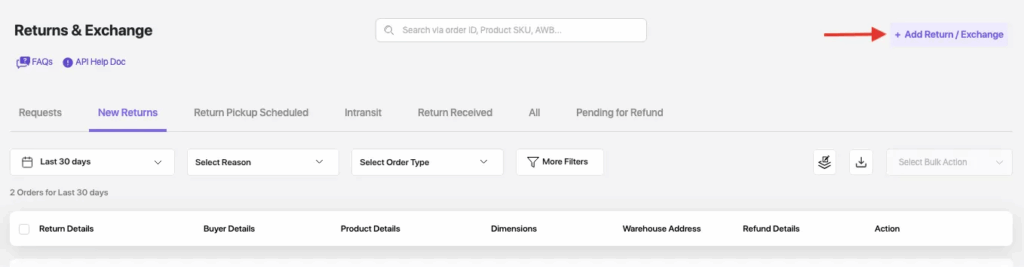
2. Create a new Exchange Order yourself:
- Head over to the Returns & Exchange tab.
- Click on Add Return/Exchange
- Fill in the details and create a new exchange order.
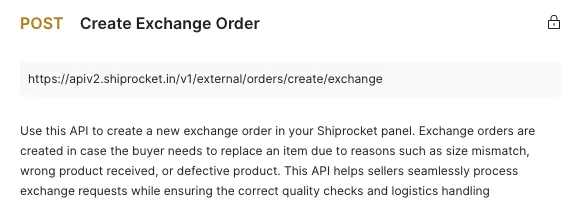
3. Using an External API:
- Prefer automating? Use our Exchange API to create exchange orders programmatically.
- 👉 Refer to Shiprocket API Docs
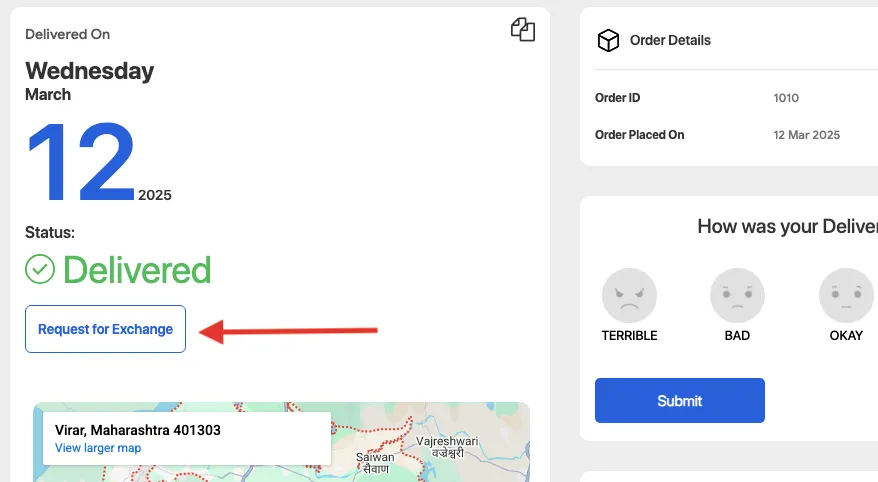
4. By the Buyer via Tracking Page:
- Buyers can also request exchanges directly from the tracking page!
- These requests will appear in your panel for approval.
- You can enable this feature under Exchange Settings.
🚀 Custom Chat Flows in Shiprocket Engage 360
Enhance customer engagement with Custom WhatsApp Flows in Engage 360! Automate chat responses, assist buyers through their purchase journey, and recover abandoned carts—ensuring seamless support and increased conversions.
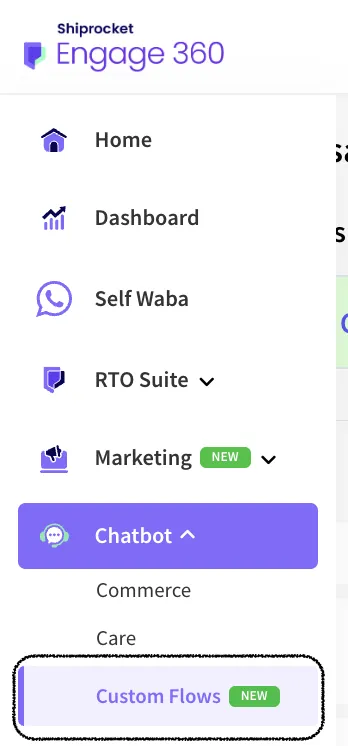
🔍 Navigation:
📌 Left Menu → Chatbot → Custom Flows
🔗 Access Here: https://app-engage.shiprocket.in/seller/custom-flows ****
🌟 Key Benefits:
✅ Instant Query Resolution – Automatically address buyer queries and provide real-time order updates.
✅ Personalized Interactions – Customize messages with buyer details, media, and emojis for a more engaging experience.
✅ 24/7 Assistance – Ensure uninterrupted customer support, enhancing satisfaction and boosting sales.
✅ Effortless Management – Create, edit, and track chat flows from a centralized dashboard with ease.
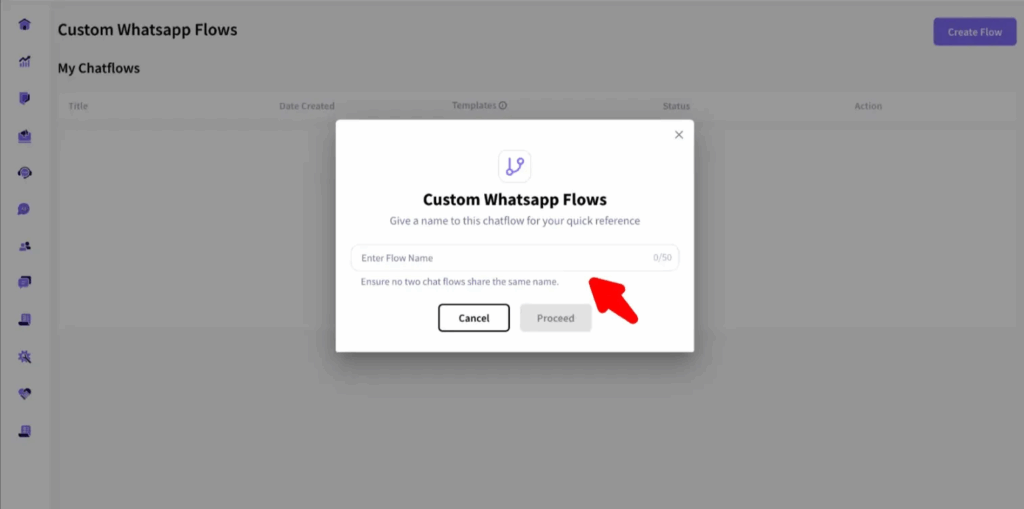
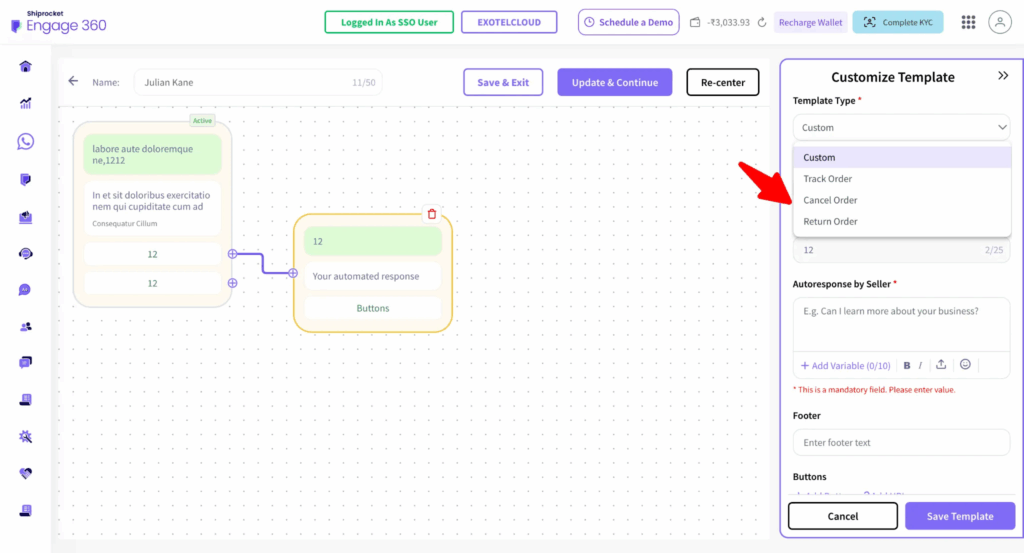
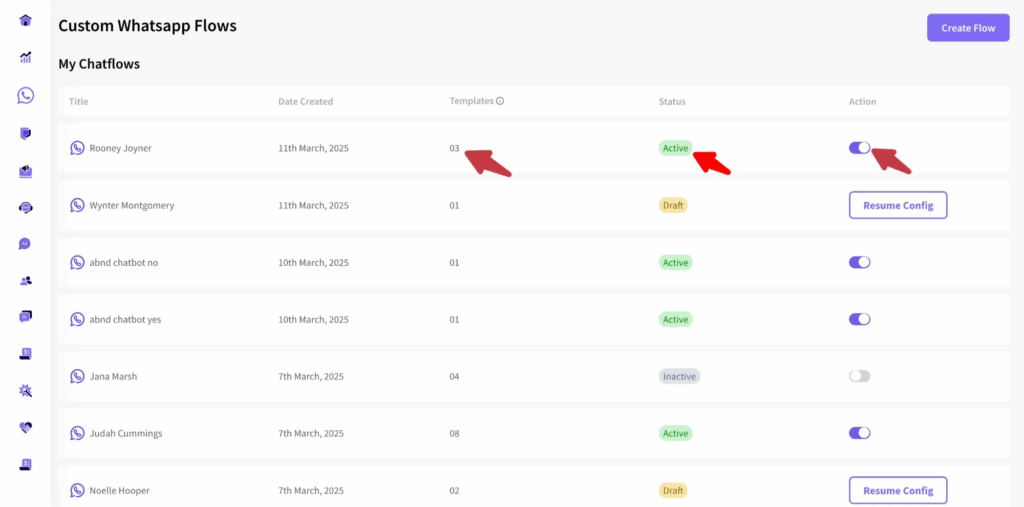
✅ Seamless Campaign Creation – Easily design and edit campaigns with a larger screen and intuitive controls.
✅ Drag-and-Drop Simplicity – Set up chat flows, templates, and automated journeys in just a few clicks.
✅ Data-Driven Insights – View detailed reports and performance metrics to optimize your marketing strategies.